一.越来越多的app增加第三方的功能,可能app有不同的页面但调用相同的支付方式,例如界面如下:
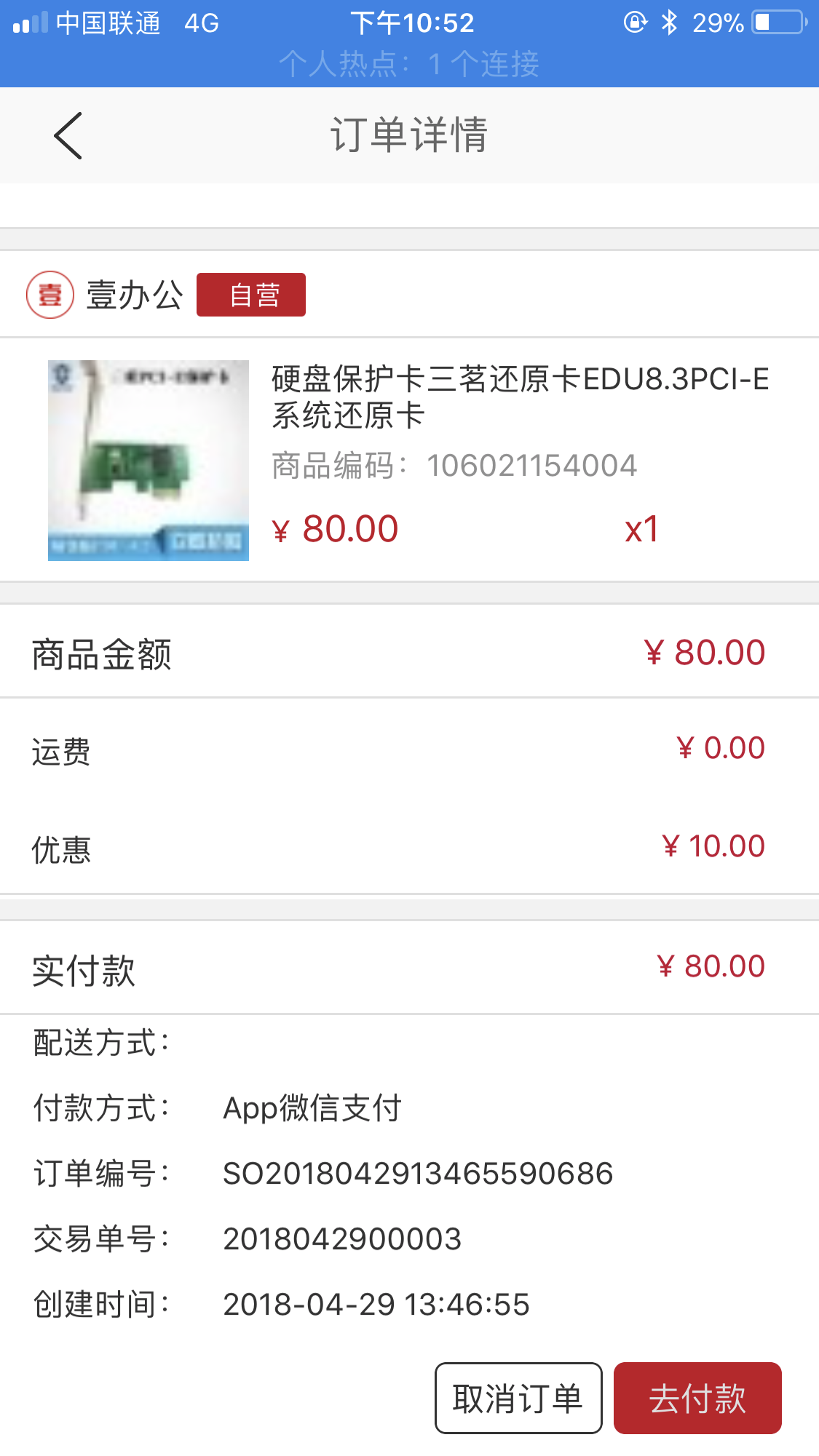
这两个页面都会使用第三方支付支付:(微信,支付宝,银联)如果在每一个页面都直接调用第三方支付的接口全部代码,显然并不是很合适,更何况,可能一个app并不止两个入口。所以封装还是很有必要的。
1.新建Model:-------后台返回支付方式的列表json
#import <Foundation/Foundation.h>

@interface IOAPayItemModel : NSObject

//name:代表是支付宝,微信,银联或者余额等
@property (nonatomic, copy) NSString *name;
//icon:代表是支付方式的图片
@property (nonatomic, copy) NSString *icon;
//code:代表支付方式的唯一标识
@property (nonatomic, copy) NSString *code;
//payType:代表支付类型(自己确定的)
@property (nonatomic, assign) NSInteger payType;
@end
#import "IOAPayItemModel.h"
@implementation IOAPayItemModel
@end
2.封装第三方支付接口以及回调接口-----直接上源代码----会有解释(相信大家的能力,肯定能看懂)
#import <Foundation/Foundation.h>
//支付宝SDK
#import <AlipaySDK/AlipaySDK.h>
//微信接口
#import <WXApi.h>
//银联接口
#import "UPPaymentControl.h"

/**
 枚举:列出第三方支付方式
 */
typedef NS_ENUM(NSInteger, PayType) {
 kPayTypeWXPay, // 微信支付
 kPayTypeALiPay, // 支付宝支付
 kPayTypeUNPay // 银联支付
};


/**
 IOAPayRequestModel:第三方支付需要的参数
 */
@interface IOAPayRequestModel: NSObject
@property (nonatomic, assign) PayType payType;

/**
 支付宝和银联-后台返回是字符串类型----支付宝和银联使用此方式
 */
@property (nonatomic, copy) NSString *payString;
@property (nonatomic, copy) NSString *appScheme; // 根据设置的paytype设置

/**
 微信-后台返回是字典类型--- 微信使用此方式
 */
@property (nonatomic, strong) NSDictionary *userInfo;
@end


/**
 第三方支付接口返回的数据---
 */
@interface IOAPayResponseModel: NSObject
@property (nonatomic, assign) PayType payType;

//result和userInfo信息判断支付结果--(支付成功、支付失败、支付取消等)
@property (nonatomic, assign) NSInteger result;
@property (nonatomic, strong) NSDictionary *userInfo;
@end

@interface IOAPayApi : NSObject

//支付返回的回调方法
@property (nonatomic, copy) void (^callback)(IOAPayResponseModel *response);

//支付请求model ----IOAPayRequestModel---第三方支付需要的参数
@property (nonatomic, strong) IOAPayRequestModel *payRequestModel;

//单例方法
  (instancetype)defaultPayManager;

// 是否安装了客户端
- (BOOL)isPayAppInstalled:(PayType)payType;
// 支付
- (void)pay:(IOAPayRequestModel *)payRequestModel callback:(void (^)(IOAPayResponseModel *response))callback;

// 支付回调
- (void)payCallbackWithUrl:(NSURL *)url;
@end
#import "IOAPayApi.h"
@implementation IOAPayRequestModel
- (void)setPayType:(PayType)payType {
_payType = payType;
if (_payType == kPayTypeALiPay) {
self.appScheme = @"IOAAlipaySDK";
// 测试
// self.payString = @"alipay_sdk=1.0&app_id=2018012502067343&biz_content={"subject":"支付宝支付","out_trade_no":"2018032100007","total_amount":"0.01","product_code":"QUICK_MSECURITY_PAY","timeout_express":"10m","seller_id":"2088001065568658"}&charset=UTF-8&format=json&method=alipay.trade.app.pay¬ify_url=api.ioa365.net/app/api/Payment/alipay_notify&sign_type=RSA2×tamp=2018-03-21 16:59:15&version=1.0&sign=SFyiWFqdkG98qarJFKfNjts8w2RS7ATwjCRyNnKYILDaVVFEnR/943QjK9WFaZgipx38rZuRf l4M74Hp2PO//0ZfSKAntTU3DMLIVgt4YD42W1F2lOP3iXtkL5BHpPzt6YfDQueCz1zReeAWQXlyBDvvnjbJ9p67f2jt8jfqM6Enz6kWwY5cShyDD6iJQF0FKXdmSYA iCO6IIHdiqKsRLHuBPb8lfSxJyY1/baAUysIB3 iU6HWASUGadCVL769ivwHKwdjZQZUoFpjcfnneyZG3 4f/nlBrY1pKk3ZWy2UqpTtk0w0GofsF167dRz47J0lW7UufyM8uA IhZ7Lw==";
return;
}
if (_payType == kPayTypeUNPay) {
self.appScheme = @"UPPay";
// 测试
// self.payString = @"559018436594292239101";
return;
}
// 测试
// self.userInfo = @{
// @"appid":@"wx66a3135d1354b23b",
// @"noncestr":@"J8pJbaEg6AjDQ9kk",
// @"partnerid":@"1497576612",
// @"prepayid":@"wx20180321170621b3fbce61a20187009040",
// @"result_code":@"SUCCESS",
// @"return_code":@"SUCCESS",
// @"return_msg":@"OK",
// @"sign":@"29FFF7B63A71D3FB4C6866BDBC443F72",
// @"timestamp":@"1521623180",
// @"trade_type":@"APP",
// };
}
@end
@implementation IOAPayResponseModel
@end
@interface IOAPayApi() <WXApiDelegate>
@end
@implementation IOAPayApi
//单例方法
static IOAPayApi *manager = nil;
(instancetype)defaultPayManager {
static dispatch_once_t onceToken;
dispatch_once(&onceToken, ^{
manager = [IOAPayApi new];
});
return manager;
}
(instancetype)allocWithZone:(struct _NSZone *)zone {
static dispatch_once_t onceToken;
dispatch_once(&onceToken, ^{
manager = [super allocWithZone:zone];
});
return manager;
}
//copy在底层 会调用copyWithZone:
- (instancetype)copyWithZone:(NSZone *)zone {
return [[self class] defaultPayManager];
}
(instancetype)copyWithZone:(struct _NSZone *)zone {
return [self defaultPayManager];
}
(instancetype)mutableCopyWithZone:(struct _NSZone *)zone {
return [self defaultPayManager];
}
- (instancetype)mutableCopyWithZone:(NSZone *)zone {
return [[self class] defaultPayManager];
}
#pragma mark - WeiChatPayDelegate
- (void)onResp:(BaseResp *)resp {
//启动微信支付的response
if (self.payRequestModel.payType == kPayTypeWXPay) {
if (self.callback) {
IOAPayResponseModel *payResponseModel = [IOAPayResponseModel new];
payResponseModel.result = 0;
if([resp isKindOfClass:[PayResp class]]){
//支付返回结果,实际支付结果需要去微信服务器端查询
switch (resp.errCode) {
case 0:
// payResoult = @"支付结果:成功!";
payResponseModel.result = 1;
break;
case -1:
payResponseModel.result = 0;
break;
case -2:
payResponseModel.result = 0;
break;
default:
break;
}
}
self.callback(payResponseModel);
}
}
}
#pragma mark - Public
// 是否安装了客户端
- (BOOL)isPayAppInstalled:(PayType)payType {
switch (payType) {
case kPayTypeWXPay:
return [WXApi isWXAppInstalled];
break;
case kPayTypeALiPay:
// 未提供接口 返回NO
return NO;
break;
case kPayTypeUNPay:
return [[UPPaymentControl defaultControl] isPaymentAppInstalled];
break;
default:
break;
}
return NO;
}
- (void)pay:(IOAPayRequestModel *)payRequestModel callback:(void (^)(IOAPayResponseModel *response))callback {
if (!payRequestModel) return;
self.callback = callback;
self.payRequestModel = payRequestModel;
switch (payRequestModel.payType) {
case kPayTypeWXPay:
[self wxPay:payRequestModel];
break;
case kPayTypeALiPay:
[self aliPay:payRequestModel];
break;
case kPayTypeUNPay:
[self unPay:payRequestModel];
break;
default:
break;
}
}
// 支付回调
- (void)payCallbackWithUrl:(NSURL *)url {
// 其他如支付等SDK的回调
if ([url.host isEqualToString:@"safepay"]) {
[self aliPayCallback:url];
}
else if ([url.host isEqualToString:@"pay"]) {
// 处理微信的支付结果
[self wxPayCallback:url];
}
else if ([url.host isEqualToString:@"uppayresult"]) {
[self unPayCallback:url];
}
}
#pragma mark - Pay
// 微信支付
- (void)wxPay:(IOAPayRequestModel *)payRequestModel {
PayReq *req = [[PayReq alloc] init];
NSDictionary *dataDic = payRequestModel.userInfo;
//由用户微信号和AppID组成的唯一标识,用于校验微信用户
req.openID = dataDic[@"appid"];
// 商家id,在注册的时候给的
req.partnerId = dataDic[@"partnerid"];
// 预支付订单这个是后台跟微信服务器交互后,微信服务器传给你们服务器的,你们服务器再传给你
req.prepayId = dataDic[@"prepayid"];
// 根据财付通文档填写的数据和签名
req.package = @"Sign=WXPay";
// 随机编码,为了防止重复的,在后台生成
req.nonceStr = dataDic[@"noncestr"];
// 这个是时间戳,也是在后台生成的,为了验证支付的
NSString * stamp = dataDic[@"timestamp"];
req.timeStamp = stamp.intValue;
// 这个签名也是后台做的
req.sign = dataDic[@"sign"];
//发送请求到微信,等待微信返回onResp
[WXApi sendReq:req];
}
// 支付宝
- (void)aliPay:(IOAPayRequestModel *)payRequestModel {
NSString *appScheme = payRequestModel.appScheme;
NSString *payString = payRequestModel.payString;
__weak __typeof(self)weakSelf = self;
[[AlipaySDK defaultService] payOrder:payString fromScheme:appScheme callback:^(NSDictionary *resultDic) {
if (weakSelf.payRequestModel.payType == kPayTypeALiPay) {
if (weakSelf.callback) {
IOAPayResponseModel *payResponseModel = [IOAPayResponseModel new];
payResponseModel.userInfo = resultDic;
payResponseModel.result = [resultDic[@"result"] integerValue];
weakSelf.callback(payResponseModel);
}
}
}];
}
// 银联支付
- (void)unPay:(IOAPayRequestModel *)payRequestModel {
NSString *appScheme = payRequestModel.appScheme;
NSString *payString = payRequestModel.payString;
[[UPPaymentControl defaultControl] startPay:payString fromScheme:appScheme mode:@"01" viewController:[UIApplication sharedApplication].keyWindow.rootViewController];
}
//////
- (void)wxPayCallback:(NSURL *)url {
//跳转支付宝钱包进行支付,处理支付结果
[WXApi handleOpenURL:url delegate:self];
}
- (void)aliPayCallback:(NSURL *)url {
__weak typeof(self)weakSelf = self;
[[AlipaySDK defaultService] processOrderWithPaymentResult:url standbyCallback:^(NSDictionary *resultDic) {
if (weakSelf.payRequestModel.payType == kPayTypeALiPay) {
if (weakSelf.callback) {
IOAPayResponseModel *payResponseModel = [IOAPayResponseModel new];
payResponseModel.userInfo = resultDic;
payResponseModel.result = [resultDic[@"result"] integerValue];
weakSelf.callback(payResponseModel);
}
}
}];
}
- (void)unPayCallback:(NSURL *)url {
__weak typeof(self)weakSelf = self;
[[UPPaymentControl defaultControl]handlePaymentResult:url completeBlock:^(NSString *code, NSDictionary *data) {
if (weakSelf.payRequestModel.payType == kPayTypeUNPay) {
if (weakSelf.callback) {
IOAPayResponseModel *payResponseModel = [IOAPayResponseModel new];
payResponseModel.userInfo = data;
if ([code isEqualToString:@"success"]) {
[[NSNotificationCenter defaultCenter] postNotificationName:@"YINLIANPAYS" object:nil];
payResponseModel.result = [code boolValue];
}
else if([code isEqualToString:@"fail"]) {
//交易失败
[[NSNotificationCenter defaultCenter] postNotificationName:@"YINLIANPAYF" object:nil];
payResponseModel.result = [code boolValue];
}
else if([code isEqualToString:@"cancel"]) {
//交易取消
[[NSNotificationCenter defaultCenter] postNotificationName:@"YINLIANPAYC" object:nil];
payResponseModel.result = 0;
}
weakSelf.callback(payResponseModel);
}
}
}];
}
@end
3.此时方法就开始封装好了,可以在需要的地方直接使用(弹框已作出)
- (void)alipay{
 [self startProgress];
 self.requestModel.pay_type = @"alipayMobile";
 //自己后台的接口---拿到后台返回的数据作为第三方接口的参数
 [self.viewModel requestCartSettlePay:self.requestModel callback:^(IOAResponse *response) {
 dispatch_async(dispatch_get_main_queue(), ^{
  [self stopProgress];
  if (response.success) {
  NSString *appScheme = @"IOAAlipaySDK";
  self.payRequestModel.payString = response.responseObject;
  self.payRequestModel.payType = 1;
  self.payRequestModel.appScheme = appScheme;
  //第三方接口调用(封装)
  [[IOAPayApi defaultPayManager] pay:self.payRequestModel callback:^(IOAPayResponseModel *response) {
   dispatch_async(dispatch_get_main_queue(), ^{
   NSDictionary *userInfo = response.userInfo;
   if (![userInfo[@"resultStatus"] isEqualToString:@"9000"]) {
    //进入待付款界面(支付失败或者支付取消等)
    [self pushWait];
   }else{
    //进入订单列表界面(支付成功)
    [self pushList];
   }
   });
  }];
  }else{
  [self.view makeToast:@"支付失败"];
  }
 });
 }];
}
4.重磅来临(一些人弹框没有作出,可以直接拷贝下面代码)
新建控制器控制弹框.h文件中
#import <UIKit/UIKit.h>

#import "IOAPayApi.h"
#import "IOAPayItemModel.h"

@interface IOAPayViewController : UIViewController
//点击第几行回调声明
@property (nonatomic, copy) void (^clickCallback)(NSInteger atIndex);

  (instancetype)show;
//block回调方法
  (instancetype)show:(void (^)(NSInteger atIndex))clickCallback;
  (void)dismiss;

- (void)setupItemTitles:(NSArray <NSString *>*)titles;
- (void)setupItems:(NSArray <IOAPayItemModel *>*)items;

- (void)setupTitle:(NSString *)title;
@end
实现其方法.m文件中
#import "IOAPayViewController.h"

#define PayCellHeight 50
#define PaySectionHeaderHeight 44

@interface IOAPayViewController () <UITableViewDataSource, UITableViewDelegate>
@property (nonatomic, strong) CALayer *maskLayer;

@property (nonatomic, strong) UILabel *titleView;
@property (nonatomic, strong) UIView *payBgView;
@property (nonatomic, strong) UITableView *tableView;
@property (nonatomic, strong) NSMutableArray *dataSources;

@property (nonatomic, assign) CGFloat payViewHeight;

- (void)showPayView;
- (void)dismissPayView;
@end

@implementation IOAPayViewController

- (void)dealloc {

}

  (instancetype)show {
 UIViewController *rootvc = [UIApplication sharedApplication].keyWindow.rootViewController;

 IOAPayViewController *vc = [IOAPayViewController new];
 [rootvc addChildViewController:vc];
 [rootvc.view addSubview:vc.view];

 [vc setupItemTitles:@[@"微信支付", @"支付宝支付", @"银联支付"]];
 [vc showPayView];
 return vc;
}

  (instancetype)show:(void (^)(NSInteger atIndex))clickCallback {
 IOAPayViewController *vc = [self show];
 vc.clickCallback = clickCallback;

 return vc;
}

  (void)dismiss {
 UIViewController *rootvc = [UIApplication sharedApplication].keyWindow.rootViewController;
 for (UIViewController *vc in rootvc.childViewControllers) {
 if ([vc isKindOfClass:[IOAPayViewController class]]) {
  IOAPayViewController *tempVC = (IOAPayViewController *)vc;
  [tempVC dismissPayView];
  return;
 }
 }
}

- (void)viewDidLoad {
 [super viewDidLoad];
 self.view.backgroundColor = [UIColor clearColor];

 self.maskLayer.frame = self.view.bounds;
 [self.view.layer addSublayer:self.maskLayer];

 [self.view addSubview:self.payBgView];
// [self.view addSubview:self.tableView];
}

- (void)didReceiveMemoryWarning {
 [super didReceiveMemoryWarning];
 // Dispose of any resources that can be recreated.
}

#pragma mark - UITableViewDataSource
- (NSInteger )numberOfSectionsInTableView:(UITableView *)tableView {
 return 1;
}

- (NSInteger)tableView:(UITableView *)tableView numberOfRowsInSection:(NSInteger)section {
 return self.dataSources.count;
}

- (UITableViewCell *)tableView:(UITableView *)tableView cellForRowAtIndexPath:(NSIndexPath *)indexPath {

 UITableViewCell *cell = [tableView dequeueReusableCellWithIdentifier:@"Cell" forIndexPath:indexPath];
 id temp = self.dataSources[indexPath.row];
 if ([temp isKindOfClass:[NSString class]]) {
 cell.textLabel.text = temp;
 }
 else {
 IOAPayItemModel *item = temp;
 cell.textLabel.text = item.name;
 }
 cell.textLabel.font = [UIFont systemFontOfSize:18];
 cell.textLabel.textColor = RGB_HEXString(@"#323232");
 cell.selectionStyle = UITableViewCellSelectionStyleNone;

 return cell;
}

#pragma mark - UITableViewDelegate
- (CGFloat)tableView:(UITableView *)tableView heightForRowAtIndexPath:(NSIndexPath *)indexPath {
 return PayCellHeight;
}

- (UIView *)tableView:(UITableView *)tableView viewForHeaderInSection:(NSInteger)section {
 return self.titleView;
}
- (CGFloat )tableView:(UITableView *)tableView heightForHeaderInSection:(NSInteger)section {
 return PaySectionHeaderHeight;
}

- (void)tableView:(UITableView *)tableView didSelectRowAtIndexPath:(NSIndexPath *)indexPath {
// IOAPayRequestModel *payRequestModel = [IOAPayRequestModel new];
// payRequestModel.payType = indexPath.row;
//// WS(weakSelf);
//// __weak typeof (self)weakSelf = self;
// __block IOAPayViewController *payVC = self;
// [[IOAPayApi defaultPayManager] pay:payRequestModel callback:^(IOAPayResponseModel *response) {
//// __strong __typeof (weakSelf)strongSelf = weakSelf;
// response.payType = indexPath.row;
// if (payVC.clickCallback) {
//  payVC.clickCallback(response);
//  payVC = nil;
// }
// }];

 if (self.clickCallback) {
 self.clickCallback(indexPath.row);
 }

 [self dismissPayView];
}

#pragma mark - Touches
- (void)touchesBegan:(NSSet<UITouch *> *)touches withEvent:(UIEvent *)event {
 [self dismissPayView];
}

#pragma mark - Public
- (void)setupItemTitles:(NSArray<NSString *> *)titles {
 if (!titles.count) {
 return ;
 }

 self.payViewHeight = titles.count * PayCellHeight   PaySectionHeaderHeight;
 CGRect frame = self.view.frame;
 frame.size.height = self.payViewHeight;
 self.tableView.frame = frame;

 [self.dataSources removeAllObjects];
 [self.dataSources addObjectsFromArray:titles];
 [self.tableView reloadData];

 [self setPayViewFrame];
}

- (void)setupItems:(NSArray <IOAPayItemModel *>*)items {
 if (!items.count) {
 return ;
 }

 for (IOAPayItemModel *item in items) {
 if ([item.code isEqualToString:@"appWeixinPay"]) {
  item.payType = 0;
  continue;
 }

 if ([item.code isEqualToString:@"alipayMobile"]) {
  item.payType = 1;
  continue;
 }

 if ([item.code isEqualToString:@"unionpay"]) {
  item.payType = 2;
  continue;
 }
 if ([item.code isEqualToString:@"ye"]) {
  item.payType = 3;
  continue;
 }
 item.payType = 3;
 }

 self.payViewHeight = items.count * PayCellHeight   PaySectionHeaderHeight;
 CGRect frame = self.view.frame;
 frame.size.height = self.payViewHeight;
 self.tableView.frame = frame;
 [self.dataSources removeAllObjects];
 [self.dataSources addObjectsFromArray:items];
 [self.tableView reloadData];
 [self setPayViewFrame];
}

- (void)setupTitle:(NSString *)title {
 self.titleView.text = title;
}

#pragma mark - Private
- (void)showPayView {
 [self.view.layer removeAllAnimations];
 CGFloat payBgViewHeight = self.payViewHeight   BottomHeightOffset;
 CGRect frame = self.view.frame;
 frame.origin.y = self.view.frame.origin.y   self.view.frame.size.height;
 frame.size.height = payBgViewHeight;
 self.payBgView.frame = frame;

 frame.origin.y = self.view.frame.size.height - payBgViewHeight;
 [UIView animateWithDuration:0.25 animations:^{
 self.payBgView.frame = frame;
 }];
}

- (void)setPayViewFrame {
 CGFloat payBgViewHeight = self.payViewHeight   BottomHeightOffset;
 CGRect frame = self.view.frame;
 frame.origin.y = self.view.frame.origin.y   self.view.frame.size.height;
 frame.size.height = payBgViewHeight;
 frame.origin.y = self.view.frame.size.height - payBgViewHeight;
 self.payBgView.frame = frame;
}

- (void)dismissPayView {
 CGFloat payBgViewHeight = self.payViewHeight   BottomHeightOffset;

 CGRect frame = self.view.frame;
 frame.origin.y = self.view.frame.origin.y   self.view.frame.size.height;
 frame.size.height = payBgViewHeight;

 [UIView animateWithDuration:0.25 animations:^{
 self.payBgView.frame = frame;
 } completion:^(BOOL finished) {
 [self.view removeFromSuperview];
 [self removeFromParentViewController];
 }];
}

#pragma mark - Setter / Getter
- (CALayer *)maskLayer {
 if (_maskLayer == nil) {
 _maskLayer = [CALayer layer];
 _maskLayer.backgroundColor = [UIColor blackColor].CGColor;
 _maskLayer.opacity = 0.2;
 }

 return _maskLayer;
}

- (UILabel *)titleView {
 if (!_titleView) {
 _titleView = [UILabel new];
 _titleView.textAlignment = NSTextAlignmentCenter;
 _titleView.text = @"请选择支付方式";
 _titleView.font = [UIFont systemFontOfSize:16];
 _titleView.textColor = [UIColor blackColor];
 _titleView.backgroundColor = RGB_HEXString(@"#f2f2f2");//[UIColor whiteColor];
 }

 return _titleView;
}

- (UIView *)payBgView {
 if (!_payBgView) {
 _payBgView = [UIView new];
 _payBgView.backgroundColor = [UIColor whiteColor];
 [_payBgView addSubview:self.tableView];
 }
 return _payBgView;
}

- (UITableView *)tableView{
 if (!_tableView) {
 _tableView = [[UITableView alloc]initWithFrame:CGRectZero style:UITableViewStylePlain];
 _tableView.delegate = self;
 _tableView.dataSource = self;
 _tableView.showsVerticalScrollIndicator = NO;
 _tableView.showsHorizontalScrollIndicator = NO;
 _tableView.separatorStyle = UITableViewCellSeparatorStyleSingleLine;
 _tableView.separatorColor = RGB_HEXString(@"#f2f2f2");
 if ([_tableView respondsToSelector:@selector(setSeparatorInset:)]) {
  [_tableView setSeparatorInset:UIEdgeInsetsZero];
 }
 if ([_tableView respondsToSelector:@selector(setLayoutMargins:)]) {
  [_tableView setLayoutMargins:UIEdgeInsetsZero];
 }

 //
 [_tableView registerClass:[UITableViewCell class] forCellReuseIdentifier:@"Cell"];
 }
 return _tableView;
}

- (NSMutableArray *)dataSources {
 if (!_dataSources) {
 _dataSources = [NSMutableArray array];
 }
 return _dataSources;
}

- (void)setPayViewHeight:(CGFloat)payViewHeight {
 _payViewHeight = payViewHeight;
 CGFloat height = self.view.frame.size.height * 0.6;
 self.tableView.scrollEnabled = NO;
 if (_payViewHeight > height) {
 _payViewHeight = height;
 self.tableView.scrollEnabled = YES;
 }
}
@end
举例方法
利用请求的数据进行赋值传值。
IOAOrderBaseModel *dataSourceModel = self.dataSource[indexPath.section];
  IOAOrderSelectAbleItemModel *itemModel = (IOAOrderSelectAbleItemModel *) dataSourceModel.items[row];
  IOAPayViewController *vc = [IOAPayViewController show:^(NSInteger atIndex) {
  IOAPayItemModel *payItem = itemModel.items[atIndex];
  itemModel.selectedIndex = atIndex;

  weakSelf.requestModel.pay_type = payItem.code;
  weakSelf.payItem = payItem;

  [weakSelf.tableView reloadSections:[NSIndexSet indexSetWithIndex:section] withRowAnimation:UITableViewRowAnimationNone];
  }];
  [vc setupItems:self.confirmOrderInfo.payment_list];
  [vc setupTitle:@"请选择支付方式"];
最后的举例方法并不是所有的适用,对于上面1.2.3还是可以直接拿过去使用,这些都是原创,如果第一次接入还是希望各位读者读一下上篇文章,集成的整个过程,链接为https://www.jb51.net/article/139186.htm,这个代码的整个demo。